Your notes. Your files.
Keep text in a local virtual filesystem. Import and export documents, or back up your files and restore them later.
 Mini Computer
ANDROID · PHONES & FOLDABLES
Open a tiny retro computer on your phone. Write a note, sketch a pixel, try some code, or play a quick game. All in a desktop you can make your own.
Take a look insideAndroid release in preparation.
The first release will be free, with no ads or in-app purchases.
A SMALL WORKSPACE, READY TO TINKER
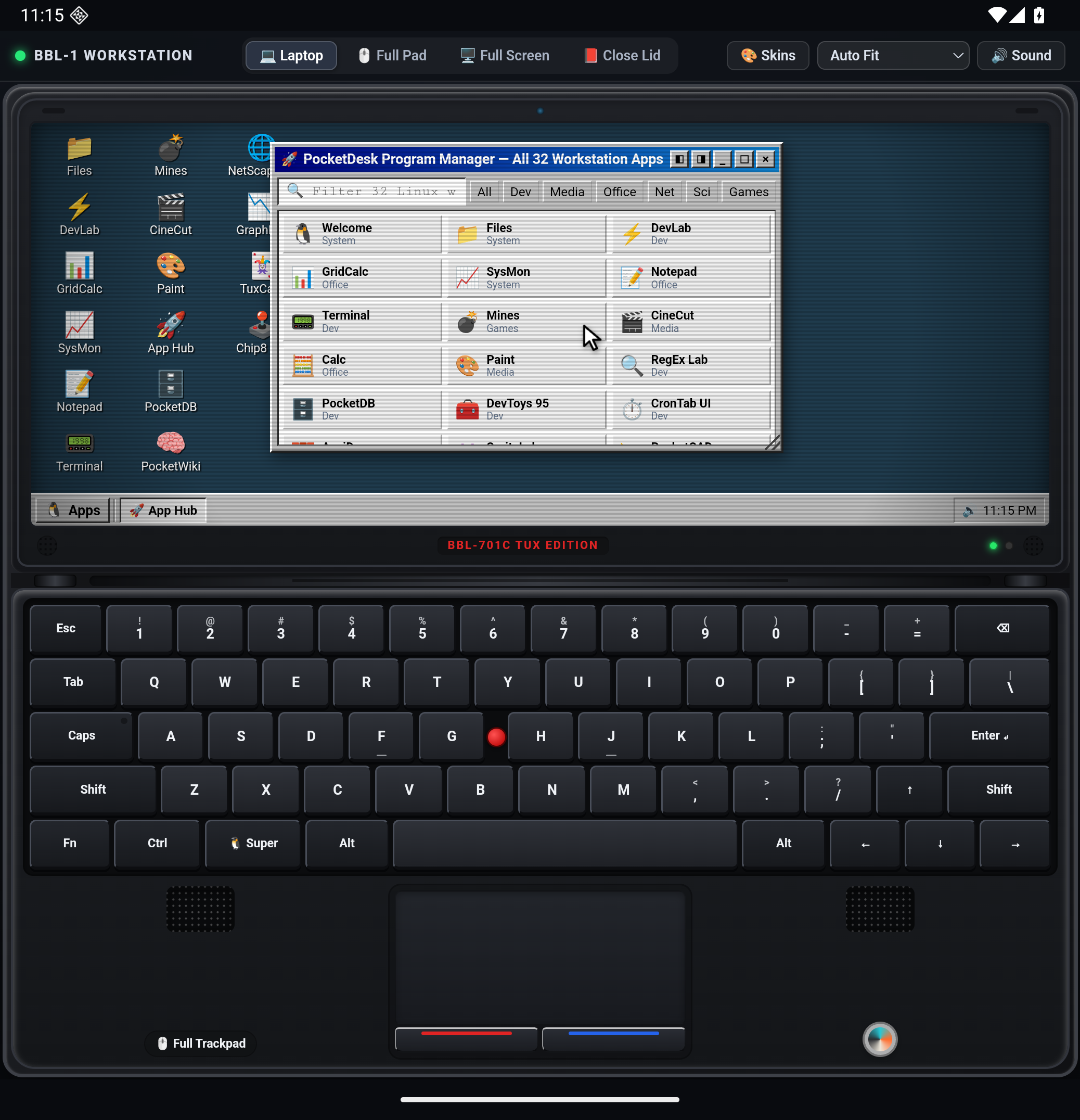
Choose a shell, open a window, and follow your curiosity.
Keep text in a local virtual filesystem. Import and export documents, or back up your files and restore them later.
Draw pixels and simple vectors, arrange slides, write Markdown, work with a small spreadsheet, or organize a task board.
Try JavaScript in DevLab, plot a function, test a regular expression, explore SQL queries, or take a break with a mini game.
Switch between laptop, trackpad and fullscreen views. Supported folding features can align the desktop and controls with your device's crease.
A FEW DETAILS
Mini Computer is a themed desktop simulation. It does not run Windows, a Linux kernel, or native PC applications. Its terminal and SQL tools implement selected commands; JavaScript runs in an isolated environment.
Local tools work without an account or network connection. Optional HTTP and web-reading tools need internet access. Save or export important work: not every unsaved tool state is retained automatically.
Virtual files are stored locally in the app. You choose the destination when exporting. Clearing app data or uninstalling can erase local files, so keep backups. Read the privacy policy for details.
The Android release is being prepared. This page will link to the official store listing when it is available. For product or privacy questions, email support@betterbrainlab.com.